Objective
This article explains how to modify Sequence Rulesets to automatically generate Call Tasks based on email opens and link clicks.
Applies To
- Outreach Admins
- Outreach Users, if permitted to view and edit Rulesets
Procedure
- Either open an existing Ruleset or create a new Ruleset.
- Under Call Task Settings, click the box(es) labeled Enabled for email opens and/or Enabled for email clicks as shown here.
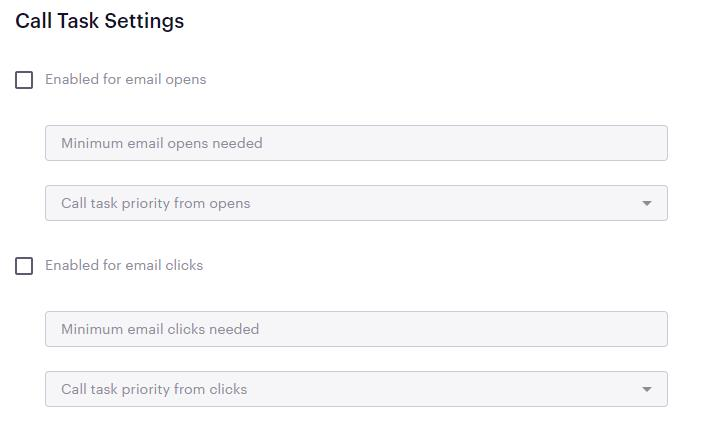
- Define the Minimum email opens needed and/or Minimum email clicks needed by typing in any whole integer greater than 0. We do NOT recommend setting either of these fields to 1 as doing so can result in a massive number of tasks generated, potentially by spam filters or other automated mechanisms, that can overwhelm your users. Two email opens or link clicks are typically a good benchmark to indicate that a prospect actually opened your message.
- Define the Task Priority from opens and Task Priority from clicks as either Low, Normal, High, or Urgent. Task priority should typically be defined based on how critical your team views your users placing these calls as soon as possible.
- Save the Ruleset, and apply it to your sequences, as appropriate.
Please note, there is no mechanism to perform any other action or create any other type of task other than a call task based on email opens or link clicks. There is also no mechanism to have call tasks generated based on email opens for messages sent outside of a sequence such as a one-off or bulk-composed messages.
Was this article helpful?
That’s Great!
Thank you for your feedback
Sorry! We couldn't be helpful
Thank you for your feedback
Feedback sent
We appreciate your effort and will try to fix the article