Symptom
You are trying to send an email in Outreach, but you're seeing the error: We were unable to send your message: An internal error occurred.

Applies To
-
One-off, bulk compose, and sequence emails
-
Templates
- Sequences
Resolution
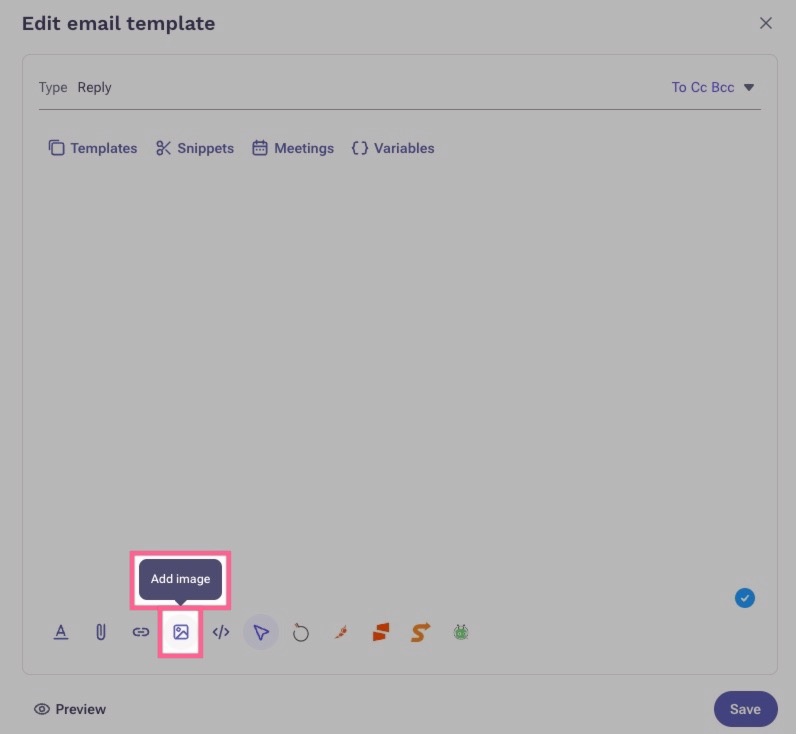
Check the message body for any images. If the image was copied/pasted into the template body, remove it, and instead use the Add image feature in the editor toolbar. Once you re-add the image back, you can resize it again if you need to.
Cause
Sometimes when an image is copied/pasted into the message body, it can create sizing issues when trying to send the message. We always recommend using the Add image button in the toolbar when you need to add an image to your template or message body.
Was this article helpful?
That’s Great!
Thank you for your feedback
Sorry! We couldn't be helpful
Thank you for your feedback
Feedback sent
We appreciate your effort and will try to fix the article