Symptom
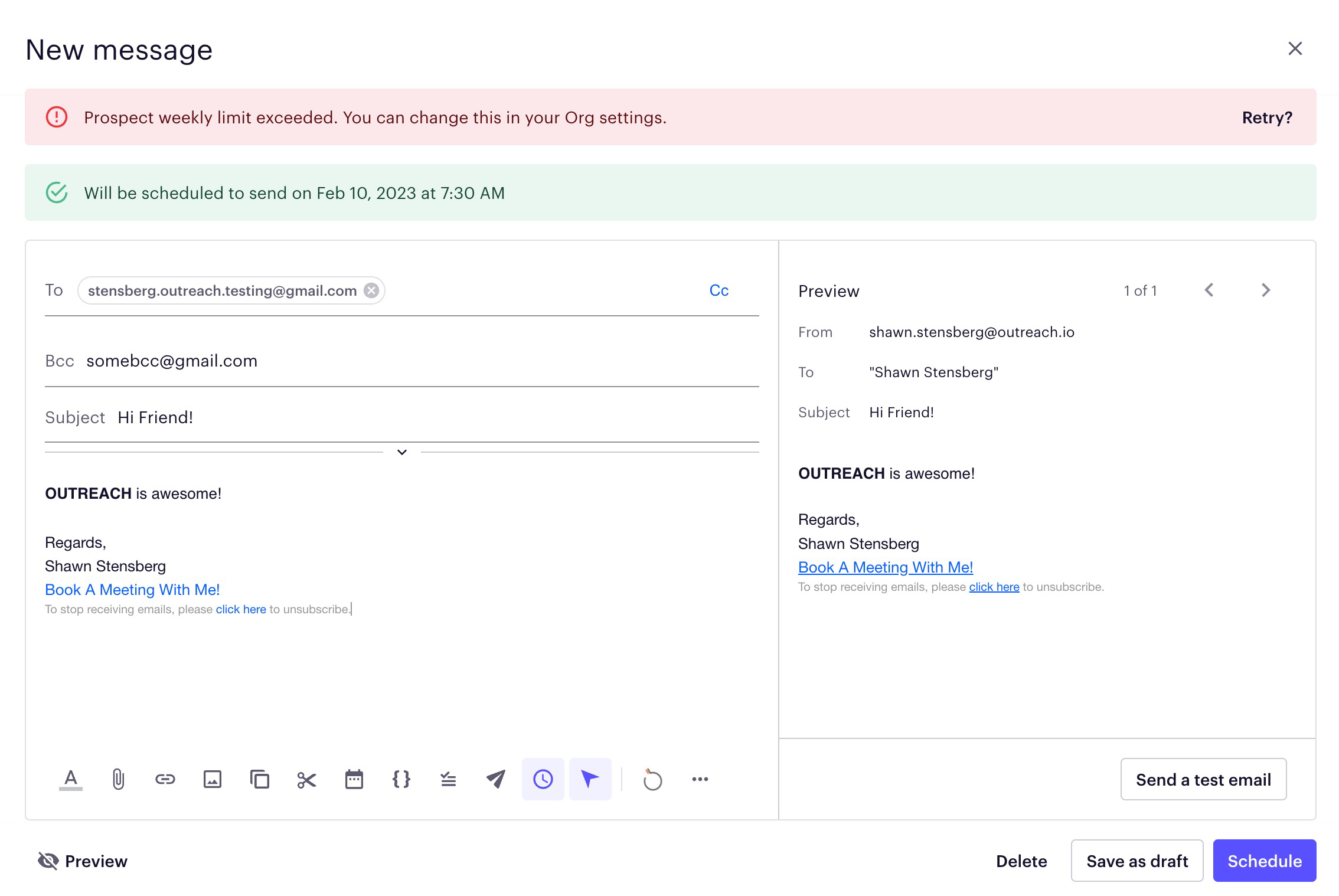
Your sequence email step fails with the error message: Prospect weekly limit exceeded. You can change this in your Org settings.
Applies To
Sequence emails
Resolution
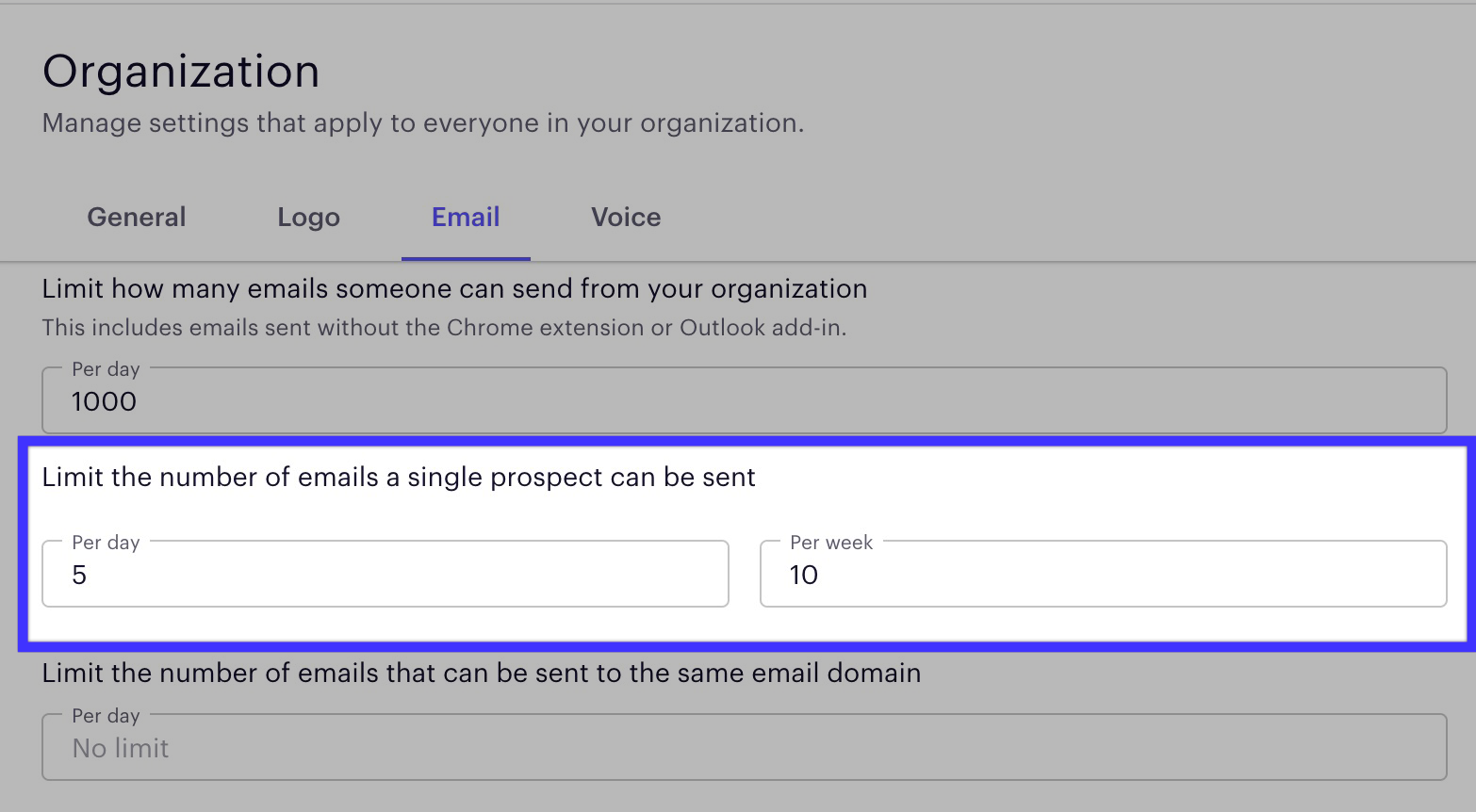
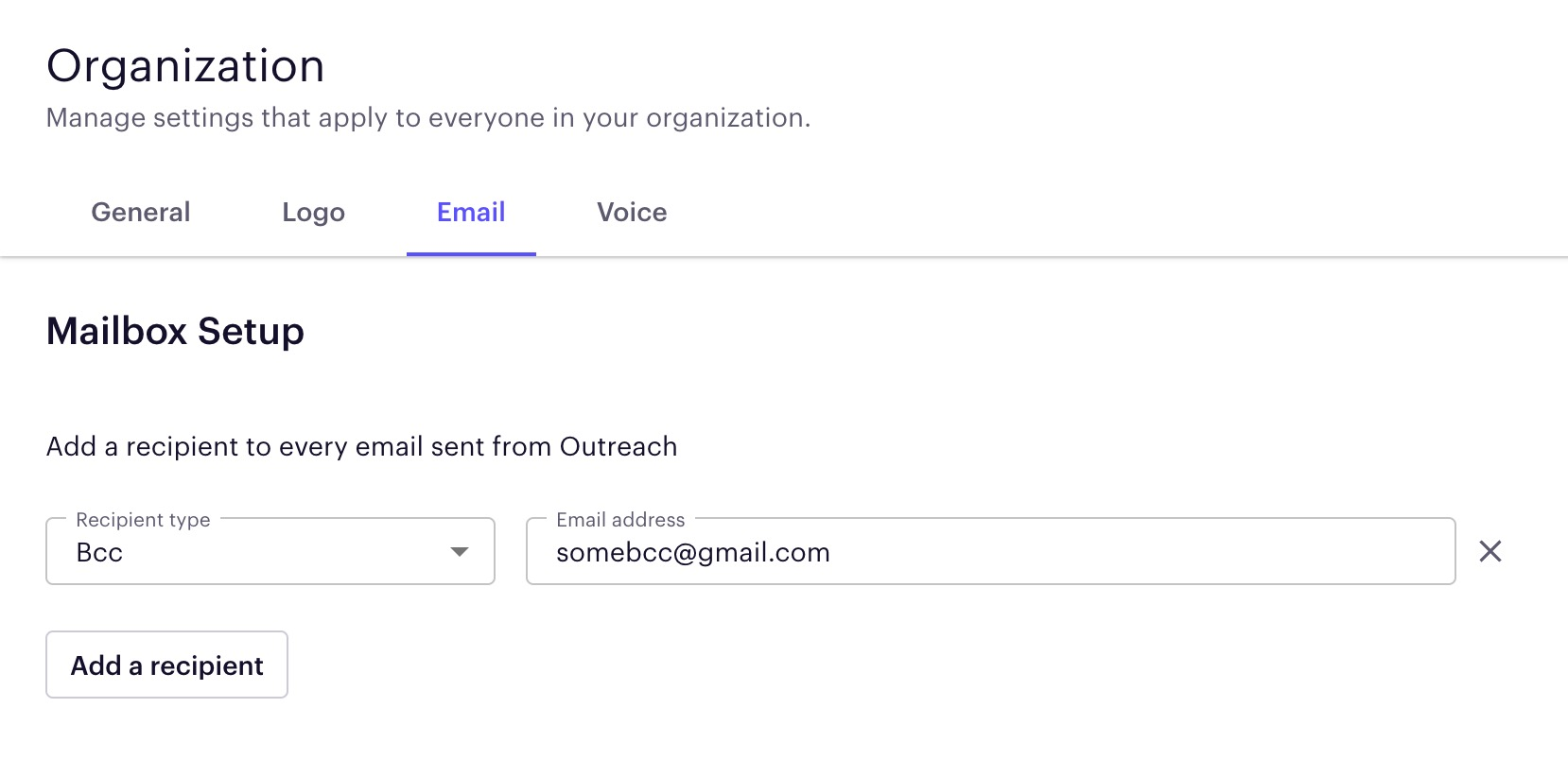
If your current email sending numbers are less than the org limits, check for a BCC or CC on all your emails coming from that sequence. Otherwise, you will want to either remove the limits highlighted below, or increase them.
Cause
This error message is ultimately the result of an org limit being reached. That said, we often see customers emailing into support and stating their org limit is above what their current sending numbers are. In this case, the error is often a result of the BCC being a prospect within Outreach, which is triggering the limit.
Was this article helpful?
That’s Great!
Thank you for your feedback
Sorry! We couldn't be helpful
Thank you for your feedback
Feedback sent
We appreciate your effort and will try to fix the article