Symptom
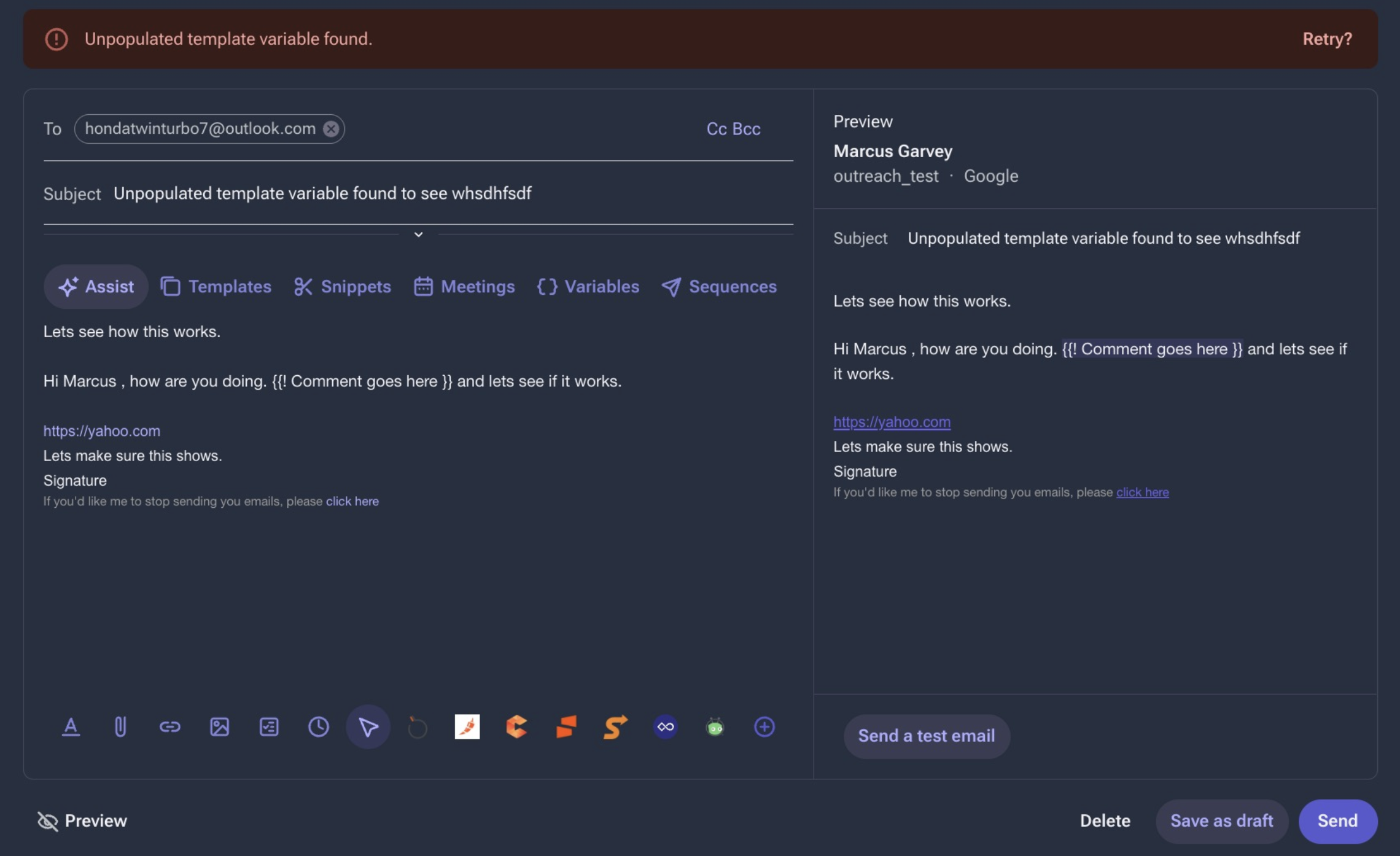
The prospect fails on a sequence step, and the error shown is Unpopulated template variable found.
Applies To
Prospects
Templates
- Sequences
Resolution
There are two potential resolutions, depending on how you want to move forward. The first, if the variable does not apply to what you want your email to say, you can remove the incorrect variables or replace them with correct variables or leave blank. The second, if the variable value is missing on the user / prospect, is to edit the user / prospect so that the value can be pulled in by the variable. You can also remove the variable from the template.
Cause
The {{! Comment goes here }} Variable has been used on the email template, but no data/ comment has been entered for this variable.
Additional Information
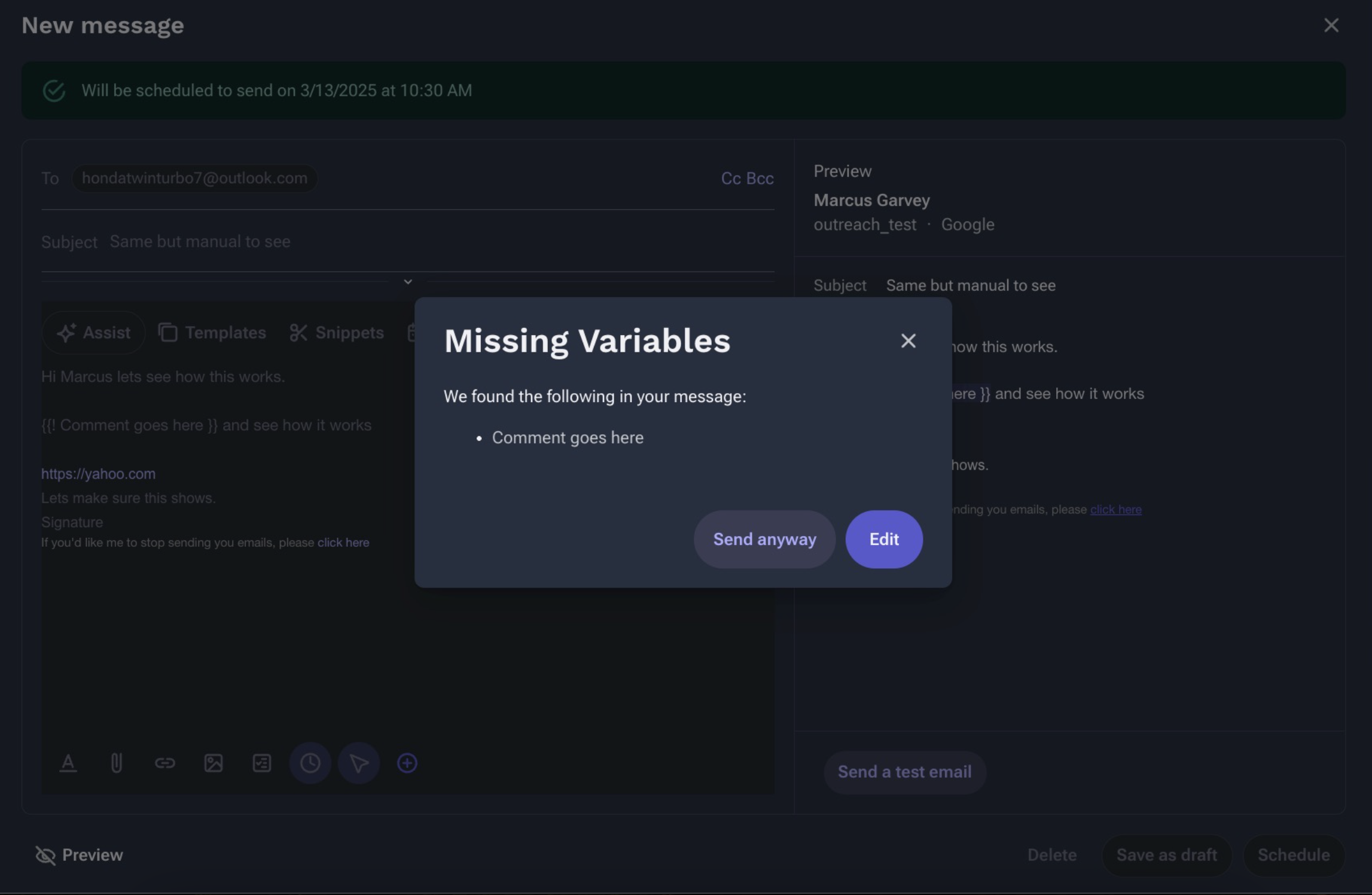
This variable will stay the way it is written and is meant to be used as a placeholder for custom text written by the user. An email cannot be sent as long as this variable is present in the email, but you can send anyway if you would like shown below.
Was this article helpful?
That’s Great!
Thank you for your feedback
Sorry! We couldn't be helpful
Thank you for your feedback
Feedback sent
We appreciate your effort and will try to fix the article