Symptom
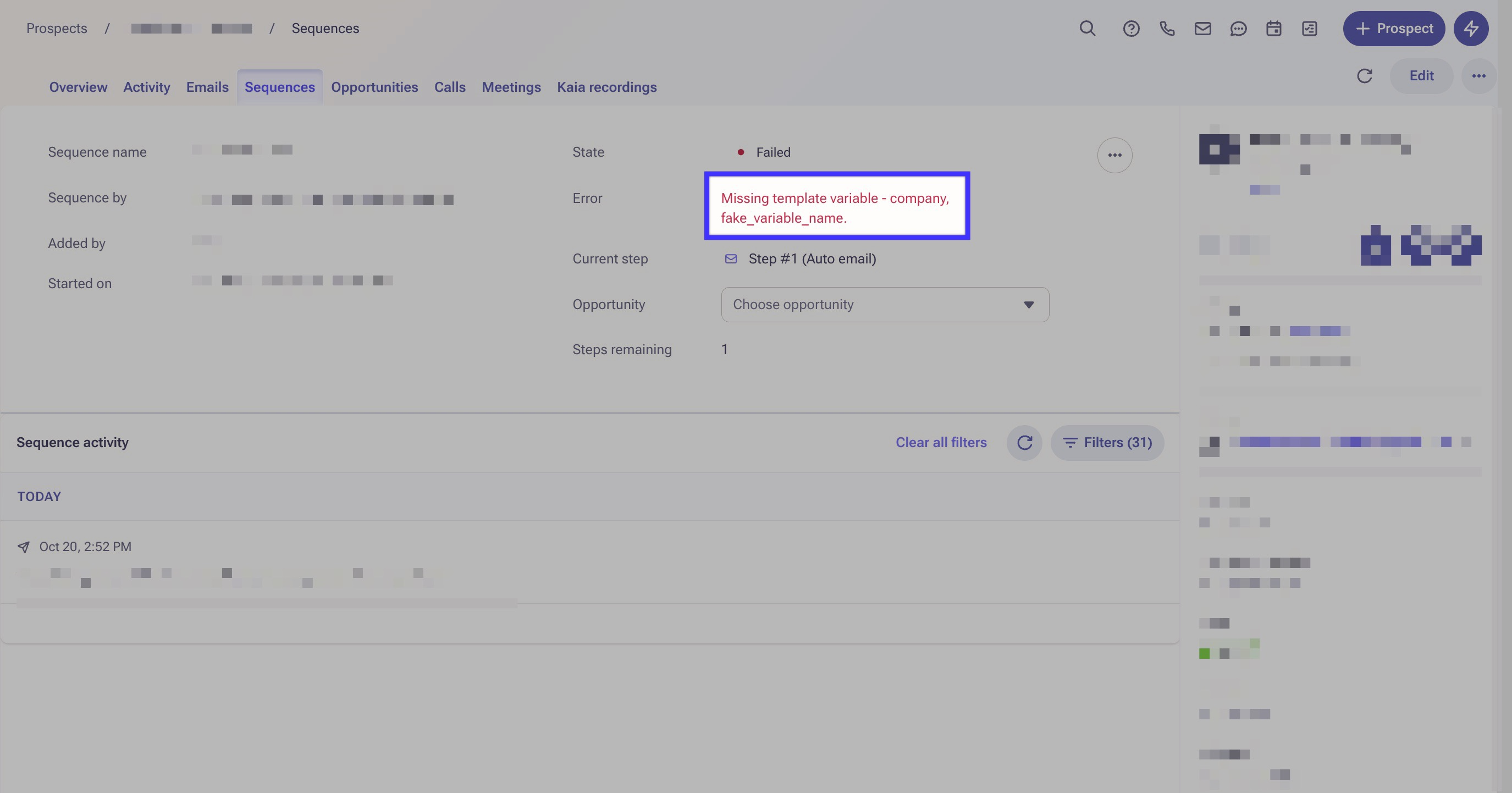
The prospect fails on a sequence step, and the error shown is Missing template variable.
Applies To
Prospects
- Templates
- Sequences
Resolution
There are two potential resolutions, depending on which cause is affecting the prospect. The first, if a variable not being an Outreach variable, is to remove the incorrect variables or replace them with correct variables. The second, if the variable value is missing on the prospect, is to edit the prospect record so that the value can be pulled in by the variable. You can also remove the variable from the template.
Another suggestion is to use a 'Conditional Variable' when you have multiple prospects in the sequence with and without that specific template.
ie: {{#if account.name}}{{account.name}} {{else}}Account{{/if}} tells the system if the Account name field for a Prospect is populated, then use the Account name, otherwise, use "Account".
You can find more details on variables in this article: Outreach Variables Overview
Cause
There are two potential causes for this error. The first is that the variable on the template isn't an Outreach variable. In the screenshot above, that would be fake_variable_name. The second potential cause is that the variable doesn't have a value because that field isn't filled out on the prospect record. In the above screenshot, that would be company.
Was this article helpful?
That’s Great!
Thank you for your feedback
Sorry! We couldn't be helpful
Thank you for your feedback
Feedback sent
We appreciate your effort and will try to fix the article