Symptom
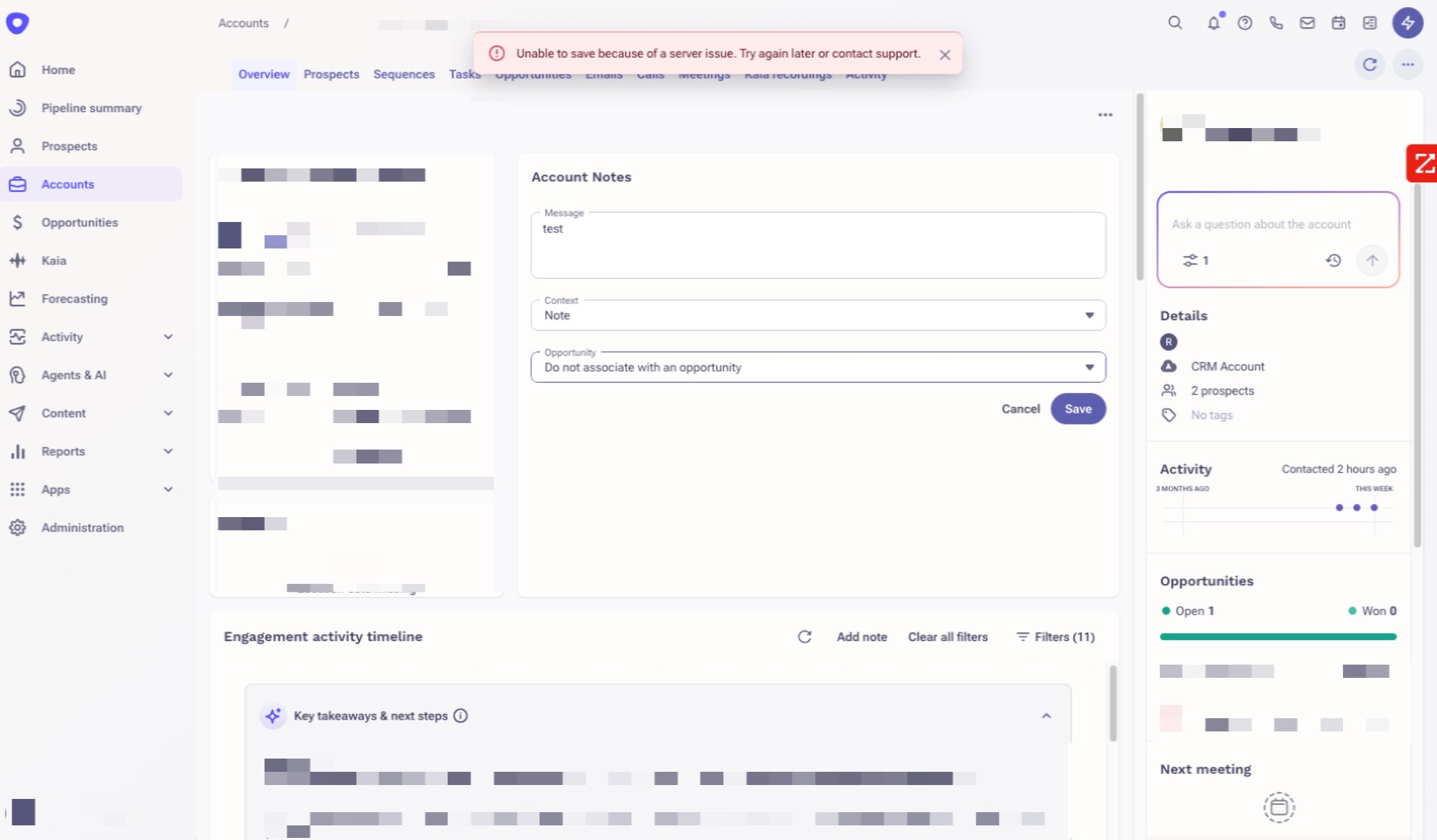
When trying to add notes to a prospect or account, users will see an error indicating that it cannot be saved because of a server issue.
Applies To
Prospects, Accounts, Users
Resolution
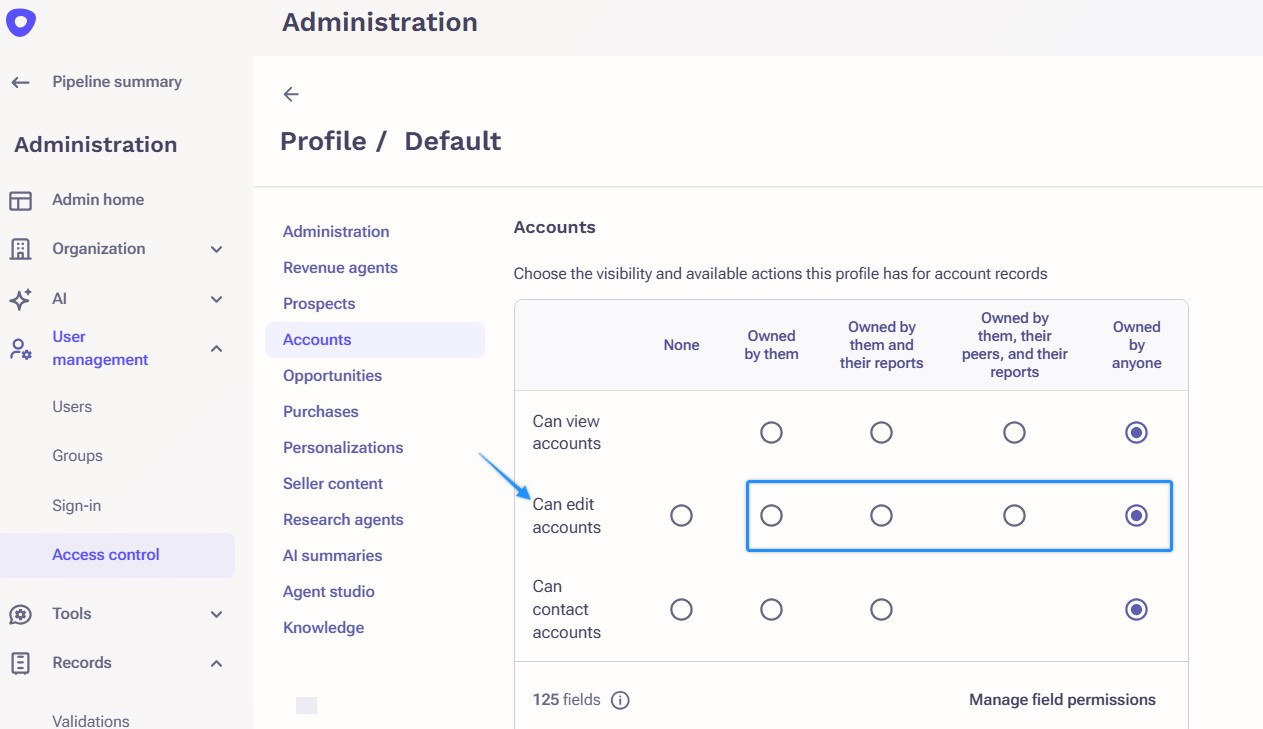
To resolve this issue, users will need to be granted permission by their Outreach Admins to edit the corresponding prospect or account record. If you are not an Admin, please contact your Outreach Admin to edit your profile as they can make changes to your profile on your behalf.
An Outreach Admin can grant users permission to edit accounts by following these steps:
- Access the Outreach Platform as an Admin.
- Click Administration.
- Click User Management > Access Control.
- Click on the desired profile
- Set the profile setting "Can edit accounts" or "Can edit prospects" from None to any of the other options (Owned by them, Owned by them and their reports, Owned by them, their peers, and their reports or Owned by anyone).
Cause
This error occurs when users are not permitted to edit the corresponding prospect or account record.
Additional Information
How to Add Notes for Prospects and Accounts
Outreach Governance Profile Settings Overview
Was this article helpful?
That’s Great!
Thank you for your feedback
Sorry! We couldn't be helpful
Thank you for your feedback
Feedback sent
We appreciate your effort and will try to fix the article