Symptom
When adding prospects to a sequence, the sequence is not visible under the list. However, when viewing the main sequences page here, the sequence is visible.
Applies To
Sequences
- Prospects
- Users
Resolution
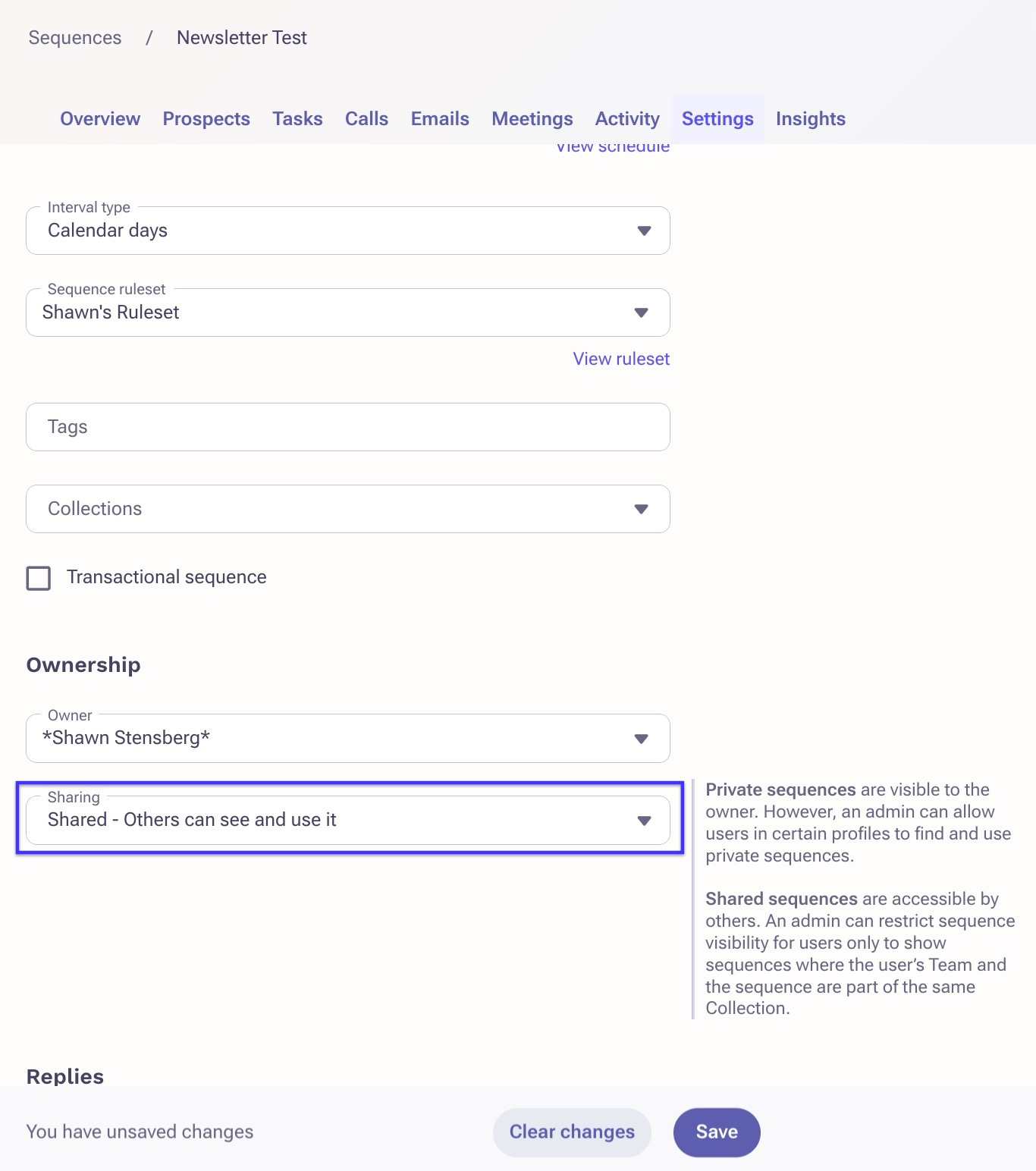
To resolve, open the missing sequence from the main prospect list here, then click the Settings tab. Scroll down to Ownership and under Sharing, choose Shared - Others can see and use it from the dropdown, then click Save.
Cause
This is occurring because the share settings on the sequence is set to Share - Others can see it instead of Share - Others can see and use it.
Was this article helpful?
That’s Great!
Thank you for your feedback
Sorry! We couldn't be helpful
Thank you for your feedback
Feedback sent
We appreciate your effort and will try to fix the article