Symptom
When a Outreach Admin attempts to click "Test" on the "Edit Identity Provider" section of Outreach's SSO settings, they receive the following error:
Could not retrieve SSO connection name: cannot retrieve authorization URL for non-SSO login orgApplies To
Outreach Admin testing SSO connection via Outreach SSO settings
Resolution
Confirm that SSO has been enabled.
- Log in to Outreach.
- Click Administration > Organization > Sign-in & password options.
- Click Edit.
- Click SSO.
- Toggle Enable.
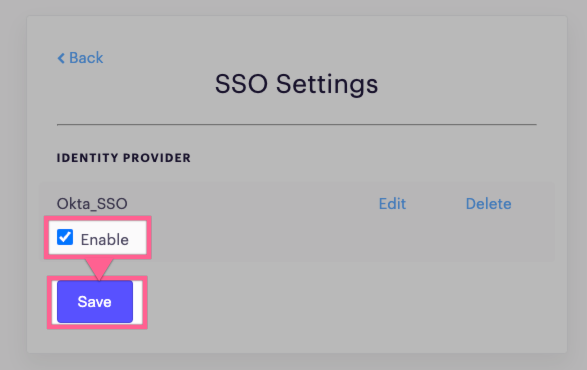
- Click Save.
Cause
When "Enable" is not checkmarked, the test option will not work.
Was this article helpful?
That’s Great!
Thank you for your feedback
Sorry! We couldn't be helpful
Thank you for your feedback
Feedback sent
We appreciate your effort and will try to fix the article