Symptom
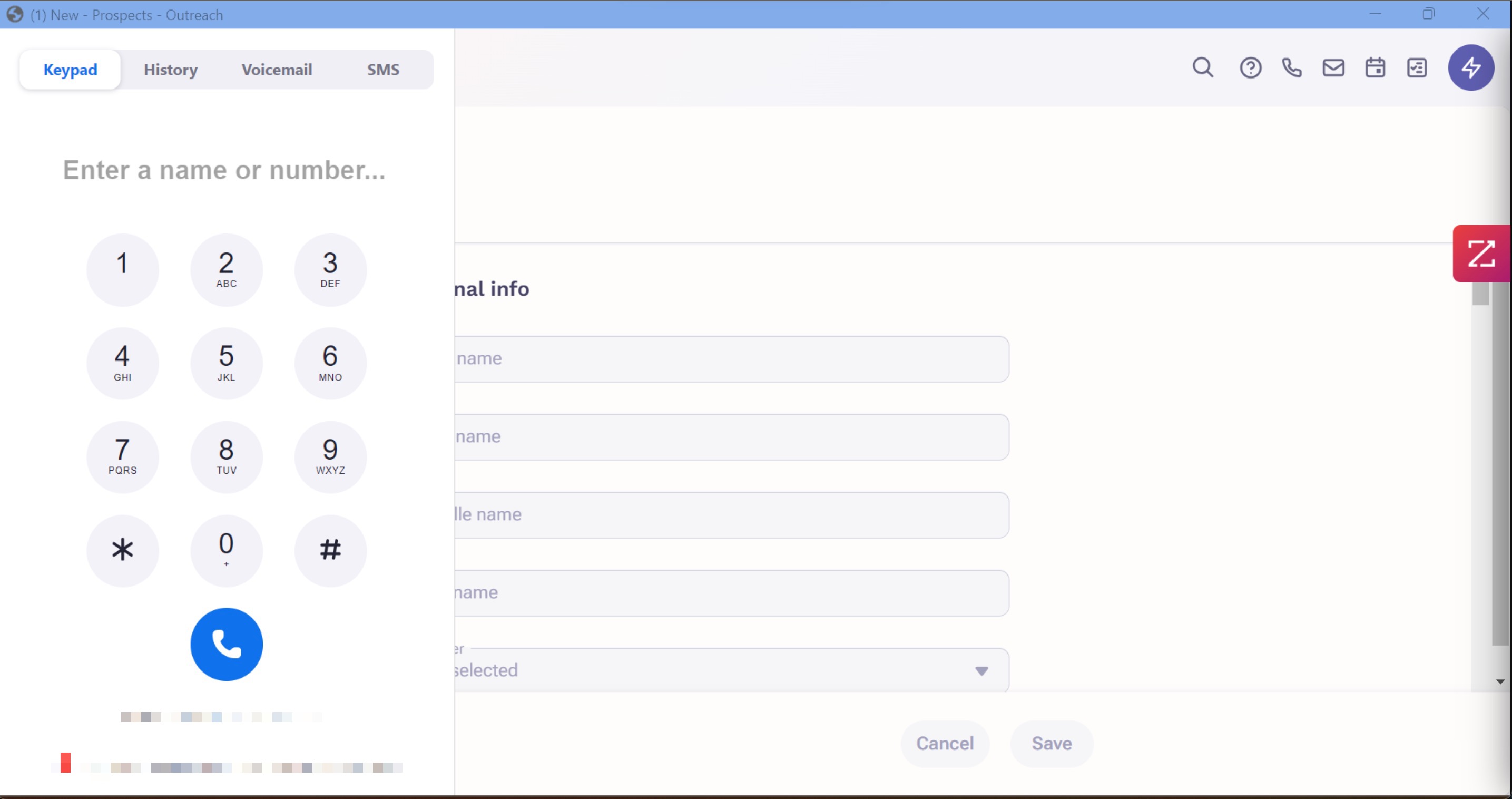
You're using the Zoom phone integration in Outreach, and the Zoom UI is covering/blocking most of the Outreach website or extension.
Applies To
-
Outreach site and Outreach Everywhere extension
-
Users using the Zoom Phone app integration
Resolution
Although Outreach has no control over the Zoom UI itself, you can still move or minimize the Zoom app. If you do not see Zoom's blue bar at the top to do this, you will have to zoom out of your Chrome browser, or zoom out of the OE extension.
In the Chrome browser, to zoom out, click on the 3-dots in the top right of the browser and you'll see the zoom settings.
- You can also do keyboard shortcuts as well.
- On Windows OS, hold CTRL on your keyboard and press the - key (to the left of the backspace/delete and + key) to zoom out. You can also press + to zoom in.
- On MacOS, hold the command key and press the - key to zoom out, or + key to zoom in.
In the Outreach Everywhere extension, perform the keyboard shortcuts mentioned above.
Once you zoom out, you should see the Zoom's blue bar at the top of its app. This allows you to either move the app around, or minimize it.
Cause
Zoom's phone UI can hinder some of your Outreach view, but this mostly depends on your screen's size and resolution. The smaller the screen, the less real estate there is for the pages and apps, which can negatively affect your viewing experience.
Was this article helpful?
That’s Great!
Thank you for your feedback
Sorry! We couldn't be helpful
Thank you for your feedback
Feedback sent
We appreciate your effort and will try to fix the article