Symptom
Certain sequences are not visible in the default view when clicking into the sequences tab
Applies To
-
Outreach users
-
Sequences
Resolution
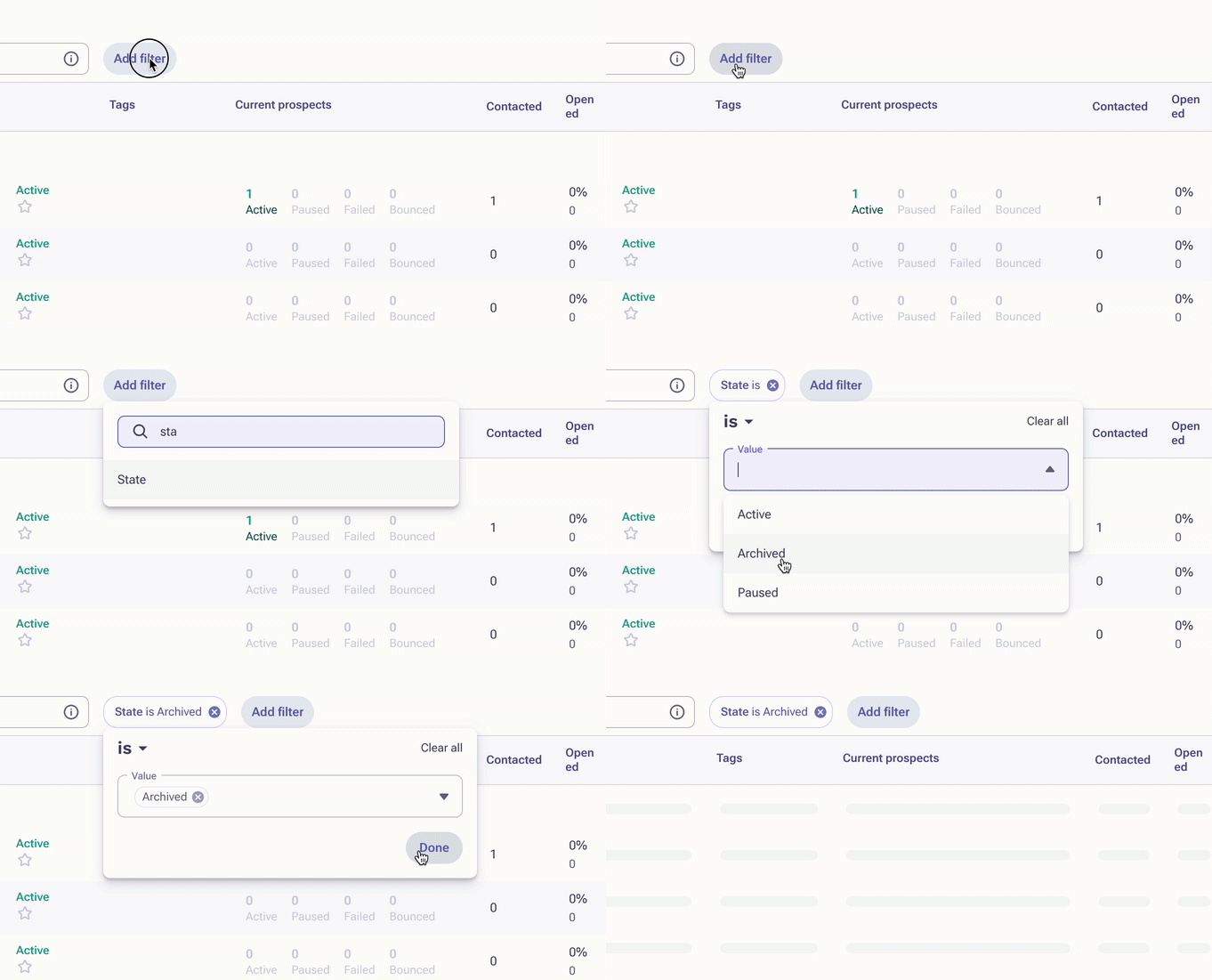
- From the home page, expand Content, then click on Sequences.
- Click Add filter.
- Select State is Archived.
- Click on Done.
Cause
Archiving sequences can be used to clean up the view in the sequences tab to prevent it from appearing cluttered with sequences that have not been used in a while. This will hide the archived sequences from the default view without deleting the sequence all together.
Was this article helpful?
That’s Great!
Thank you for your feedback
Sorry! We couldn't be helpful
Thank you for your feedback
Feedback sent
We appreciate your effort and will try to fix the article