Symptom
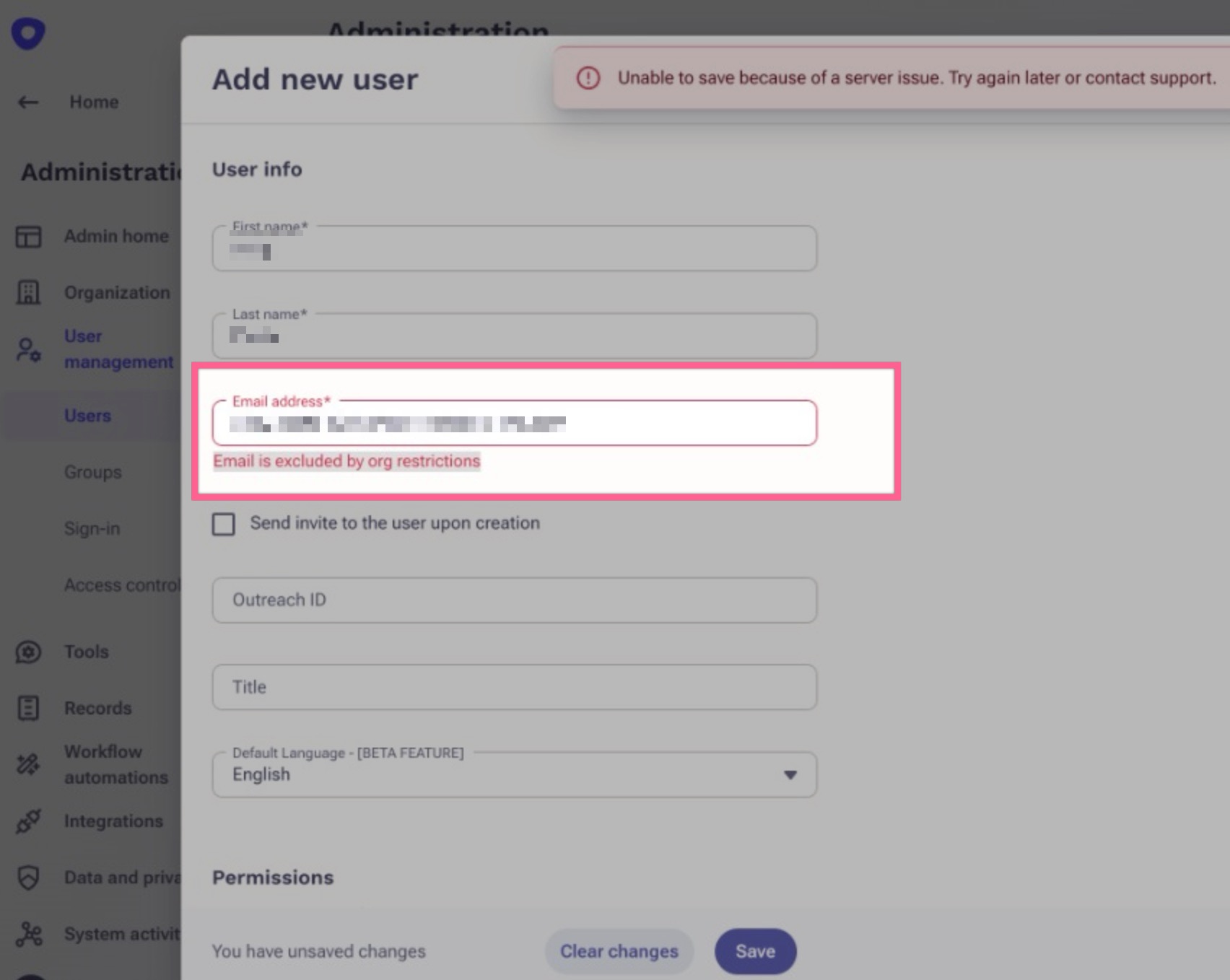
You're attempting to create a new user in the Outreach system, but an error is being thrown.
The error is: Email is excluded by org restrictions
Applies To
-
Outreach Admins
-
Creating a new user workflow
- Orgs using Dynamic user provisioning sign in
Resolution
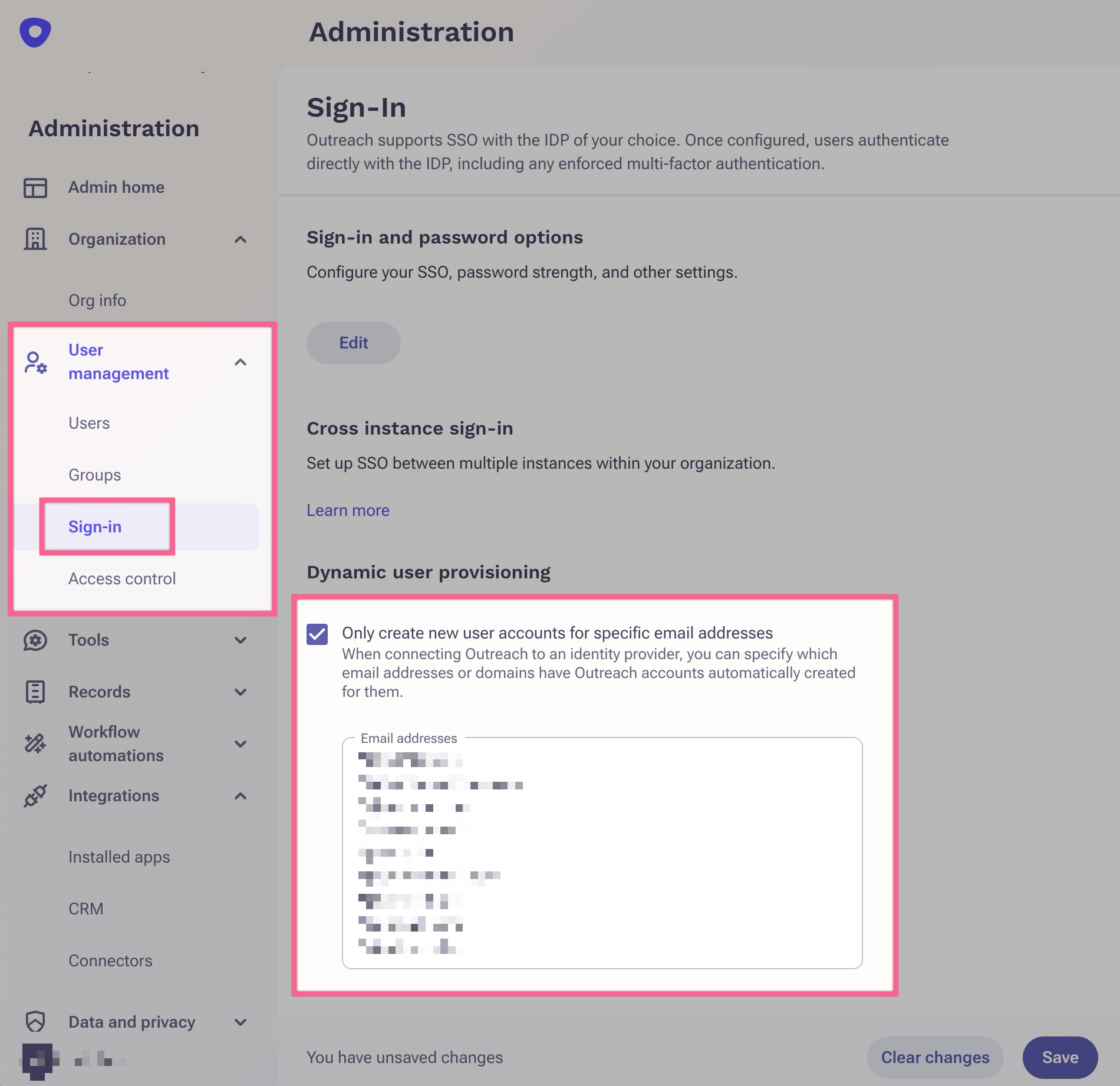
Check the Admin Sign-in configuration page. If you have Dynamic user provisioning enabled, you must include the email domain, or each email address for users that you want to permit creation of in the Outreach system.
As an admin, to get to the Sign-in configuration page:
- Click on the Administration cogwheel page on the left side navigation bar
- Expand the User management dropdown on the left side
- Click on the Sign-in page
Cause
If you've enabled Dynamic user provisioning, you must specify the email domain or email of the user you want to create in the system. This allows you to control what users can and cannot be created in Outreach.
Additional Information
Was this article helpful?
That’s Great!
Thank you for your feedback
Sorry! We couldn't be helpful
Thank you for your feedback
Feedback sent
We appreciate your effort and will try to fix the article