Objective
The purpose of this article is to provide direction to Outreach Users in adding a Prospect to a Sequence from Gmail.
Applies To
- Outreach Users
Notes
- Outreach Everywhere must be installed and enabled to complete this process. For more information regarding the installation of Outreach Everywhere, refer to the Installing Outreach Everywhere Chrome Extension article.
- This article outlines the process of adding Prospects to a Sequence from Gmail, often referred to as Follow Up Sequences. Follow-up Sequences are new or existing Sequences Outreach users can leverage to further engage Prospects and are generally applied at the email level.
Procedure
- Compose a new email or access an existing email.
- Click the Sequences icon in the email composition window.
Note: A Prospect must be present in the To: field in order for the Sequence button to become active. - Search or scroll for the applicable Sequence.
Note: Sequences that are part of a Collection can be accessed via the dropdown. For more information regarding Collections, refer to the applicable article. - Click the expansion arrow to display a list of steps within a sequence.
- Click to select the applicable Sequence.
Note: If you select a sequence by accident, click the X icon above the sequence name to remove the sequence, then click Select a Sequence to continue adding a Sequence. - Click Edit to reschedule a delivery date as applicable.
- Click Set.
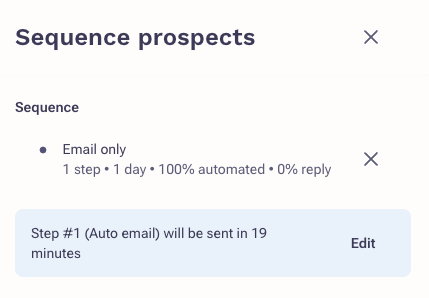
- Click Set Follow-up.
A Note about Adding Prospects to Sequences
When adding a Prospect to a Sequence from Gmail, the Prospect will only be added once you send your email from Gmail. If the Prospect responds to the email sent from Gmail the Prospect will be automatically finished in the Sequence.
Note: To remove the email from a Sequence, click the Sequence icon, and click Remove.
Additional Resources
Installing the Outreach Everywhere Chrome Extension
Was this article helpful?
That’s Great!
Thank you for your feedback
Sorry! We couldn't be helpful
Thank you for your feedback
Feedback sent
We appreciate your effort and will try to fix the article