Objective
The purpose of this article is to provide direction to Outreach Users in setting the Default Country Code in their voice settings. The default country code is applied when attempting to dial out to a prospect phone number that is not in the internal standard E.164 format.
Applies To
- Outreach User
Notes
- If default country code is not set for a prospect owner, in the event a phone number is not in E.164 format, the US outbound prefix +1 is applied by default.
- Outreach recommends that all prospect phone numbers, whether manually entered or brought in via syncing from CRM, are saved in E.164 format instead of a local format to ensure successful dial out.
Procedure
- Access the Outreach Platform.
- Click Personal Settings.
- Navigate to Voice > Default Country Code.
- Select the appropriate country code.
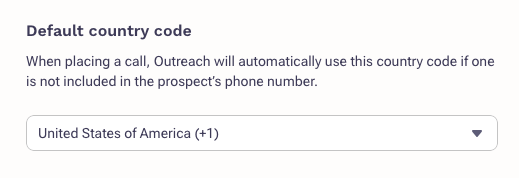
- Click Save.
Was this article helpful?
That’s Great!
Thank you for your feedback
Sorry! We couldn't be helpful
Thank you for your feedback
Feedback sent
We appreciate your effort and will try to fix the article