Applies To
Outreach Users
Answer
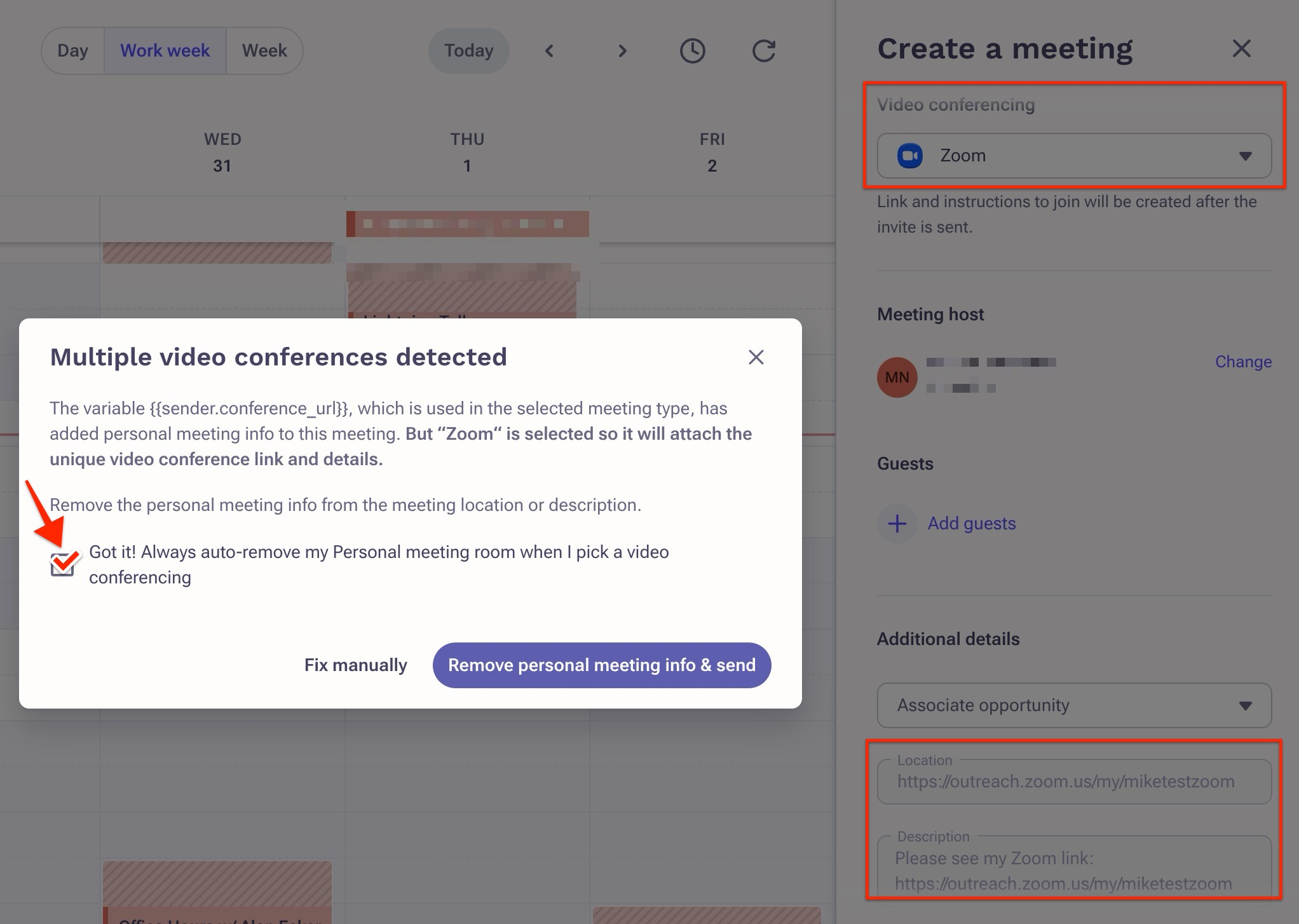
This message indicates that the {{sender.conference_url}} variable used in the selected meeting type has added personal meeting info to this meeting. However, because "Zoom" is already selected to attach the unique videoconference link and details, this dialog prevents the meeting invites from being sent with multiple different meeting links.
To prevent the display of this warning message, you can simply check the "Got it! Always auto-remove my Personal meeting room when I pick a video conferencing" option.
This action will result in the automatic removal of static meeting variables from meeting invitations, ensuring the consistent utilization of the Zoom link integrated by default.
Additional Information
Since this behavior is also following the meeting types rules, another other option is to review and update your meeting types or to reach out admins.
Outreach recommends creating duplicated of meeting types with and without {{sender.conference_url}} or {{sender.conference_details}} variables. Or removing the {{sender.conference_url}} or {{sender.conference_details}} variables if they should no longer be used.
Was this article helpful?
That’s Great!
Thank you for your feedback
Sorry! We couldn't be helpful
Thank you for your feedback
Feedback sent
We appreciate your effort and will try to fix the article