Objective
The sequencer wants to copy one or multiple colleagues when sending emails to prospects.
Applies To
- Users
Procedure
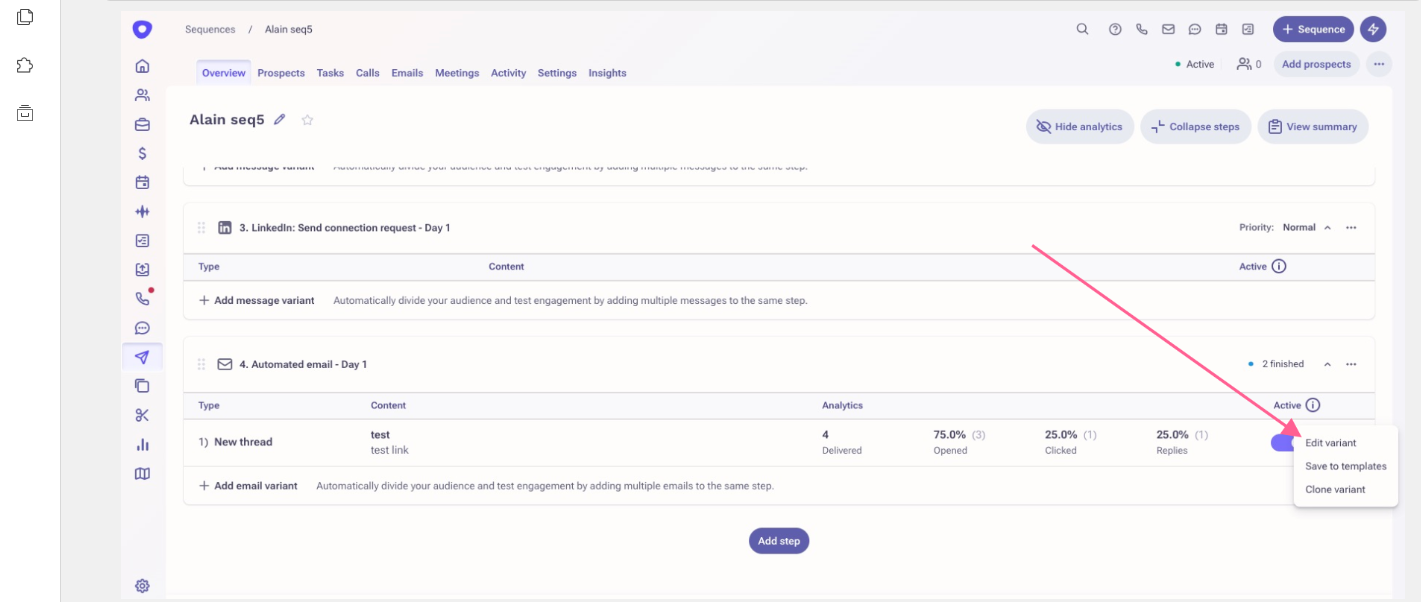
- From the sequence step click on the three horizontal dots and select the option "Edit variant".
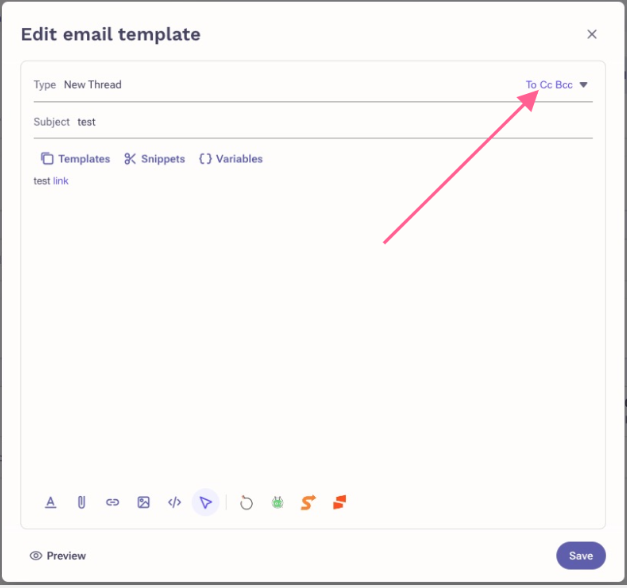
- From the "Edit email Template" window, select the option "Cc" at the top right as shown in the screenshot below.
Additional Information
- The cc'd recipient will appear on all emails delivered from this template.
- Make sure to exclude your Organisation domain from the setting "Don’t limit emails to the following domains".
Was this article helpful?
That’s Great!
Thank you for your feedback
Sorry! We couldn't be helpful
Thank you for your feedback
Feedback sent
We appreciate your effort and will try to fix the article