Objective
You want to see what recent changes and updates have been made on sequences, and which user made those changes.
Applies To
- Sequences
Procedure
- Go to the Sequence
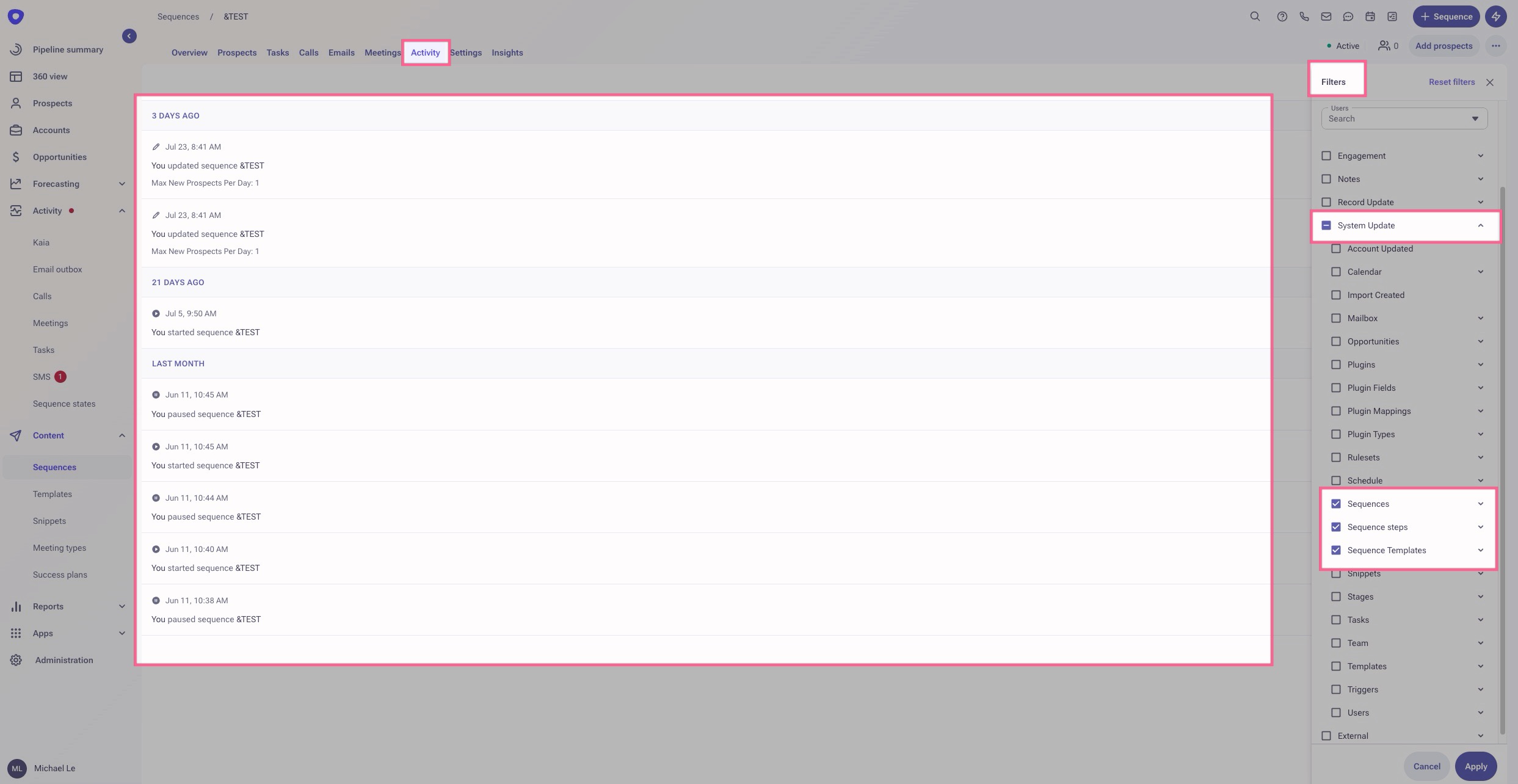
- Click on the Activity tab at the top
- Click Filters in the top right
- Unselect any checked fields
- Expand the System Update dropdown
- Check Sequences, Sequence steps, and Sequence Templates
- Click Apply
The activity/audit log will now show activity around changes to the sequence, sequence steps, and sequence templates.
Note: There are some audits and activities that we can't show due to system limitations, but the activity we can show will be displayed based on the filters chosen.
Was this article helpful?
That’s Great!
Thank you for your feedback
Sorry! We couldn't be helpful
Thank you for your feedback
Feedback sent
We appreciate your effort and will try to fix the article