Objective
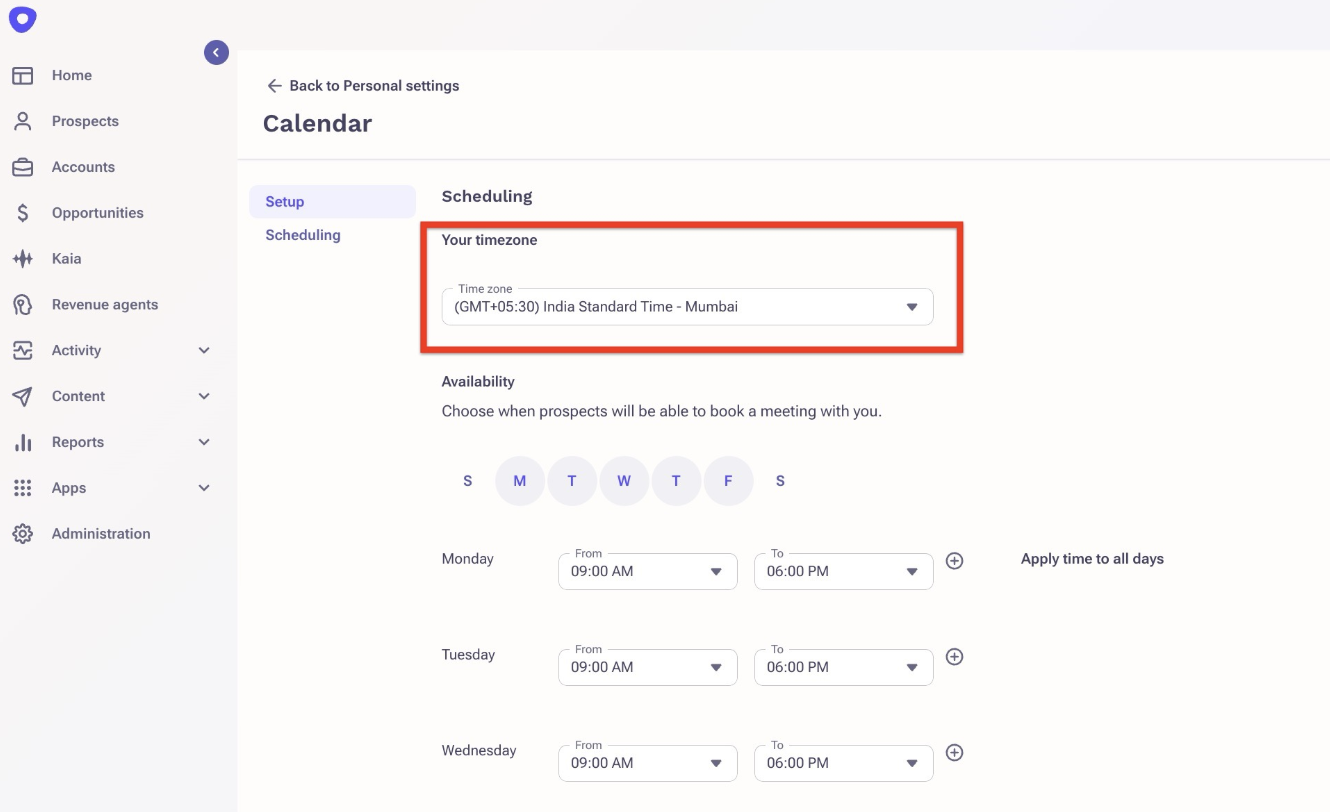
The purpose of this article is to provide the steps to Outreach Users on how they can set up their time zones.
Applies To
- Users
- Time zone
Procedure
- From the Outreach platform, hover the mouse on the name and click on Personal settings.
- Under Meetings, click on Calendar setup.
- Scroll down to Scheduling > Your timezone.
Additional Information
Was this article helpful?
That’s Great!
Thank you for your feedback
Sorry! We couldn't be helpful
Thank you for your feedback
Feedback sent
We appreciate your effort and will try to fix the article